For iPhone and iPad

All your subscriptions, in one clear view.

TrackSubs helps you stay on top of recurring payments with reminders, spending insights, monthly breakdowns, and a clean interface designed to feel native on iOS.

Track everything Get renewal reminders See spending clearly
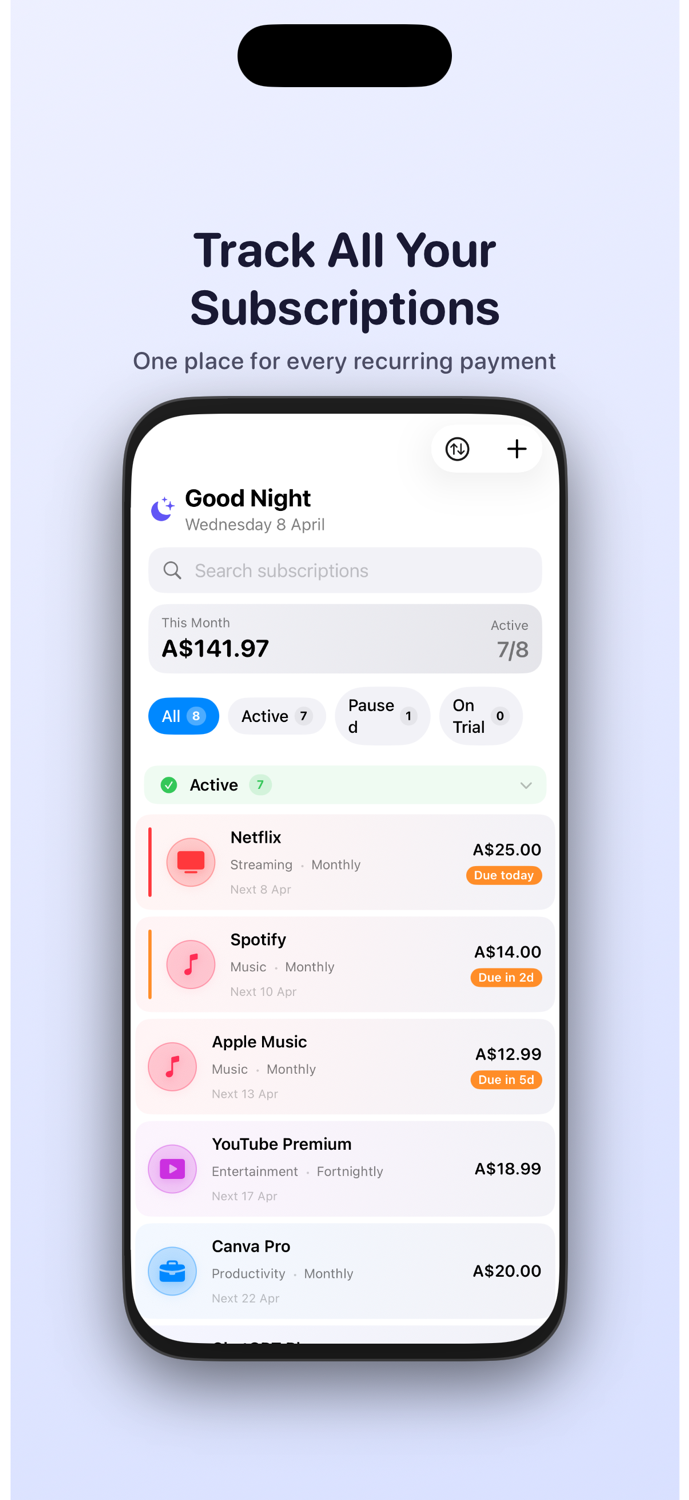
TrackSubs screenshot showing subscription list
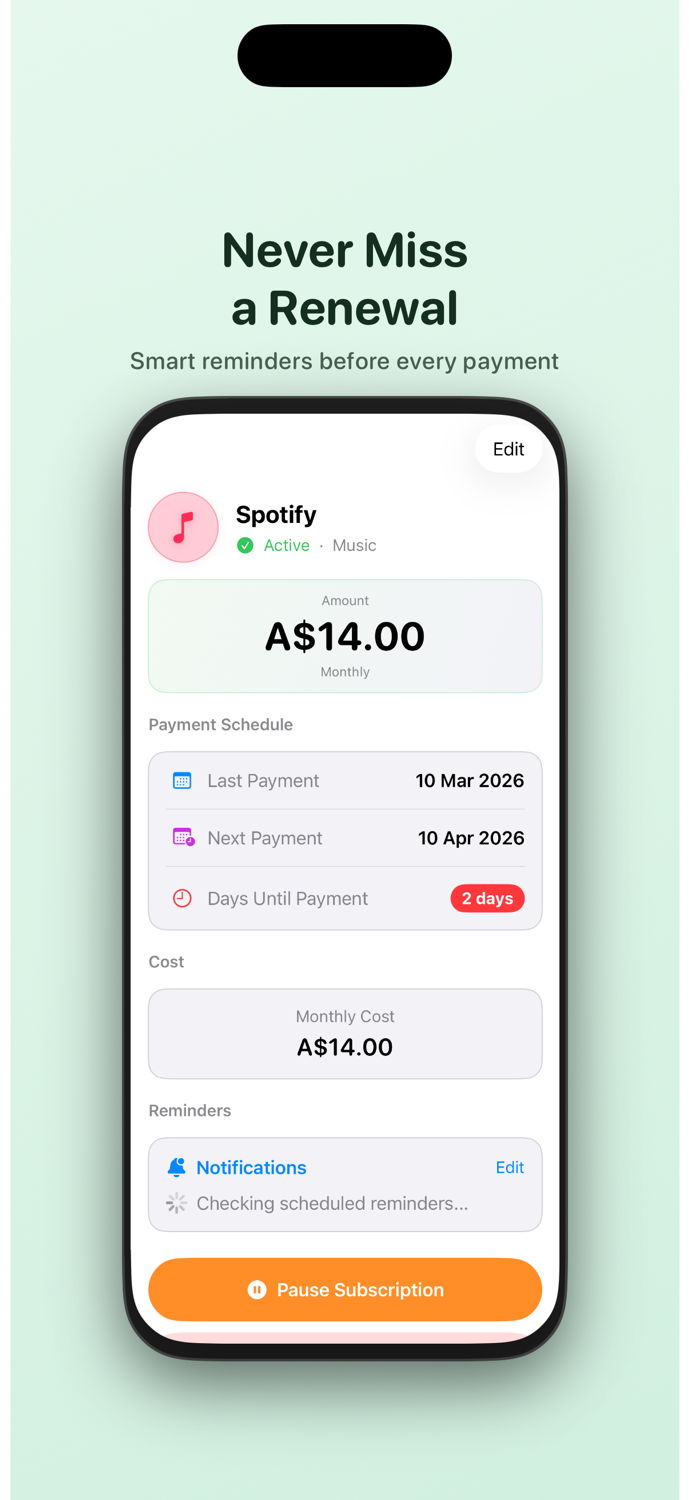
TrackSubs screenshot showing renewal reminders
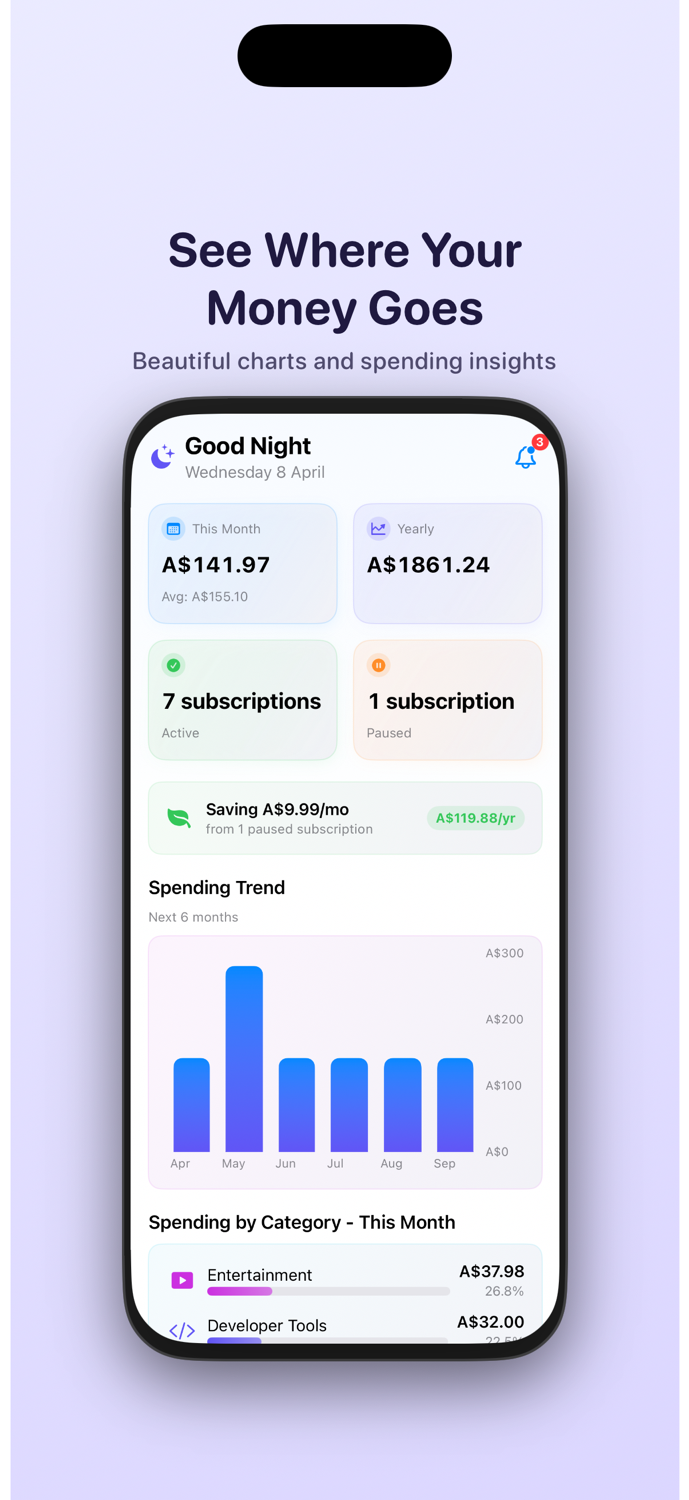
TrackSubs screenshot showing spending analytics

What it gives you

A calmer way to manage recurring payments.

See what is active, what is due next, and how your subscription spending changes over time without digging through emails, statements, or calendar reminders.

Why TrackSubs

Built for the moments people usually notice too late.

Stop surprise charges

Know when trials convert, when yearly renewals land, and what is coming before the money leaves your account.
See everything in one place

Streaming, music, fitness, productivity, and work tools all sit in one clear list instead of being scattered across apps and inboxes.

Understand monthly spend faster

See totals, trends, and category breakdowns at a glance without building your own spreadsheet or digging through bank statements.

01

Track all your subscriptions

Netflix Spotify Canva Gym

Keep recurring payments in one place with a clean overview of active, paused, and trial subscriptions.

Keep Netflix, Spotify, Apple Music, Canva Pro, and your gym membership in one list instead of trying to remember them separately.

TrackSubs main subscriptions screen

02

Never miss a renewal

1 week before 3 days 1 day Due today

Set smart reminders before each payment so you stay ahead of renewals instead of reacting after the charge lands.

Get a heads-up before Spotify renews, an annual domain payment hits, or a free trial rolls into a paid plan.

TrackSubs renewal reminder screen

03

See where your money goes

Streaming AI tools Fitness Productivity

Review spending totals, trends, and category insights in a dashboard built for quick understanding.

Spot that streaming, AI tools, and fitness apps are quietly adding up faster than you expected.

TrackSubs spending dashboard

04

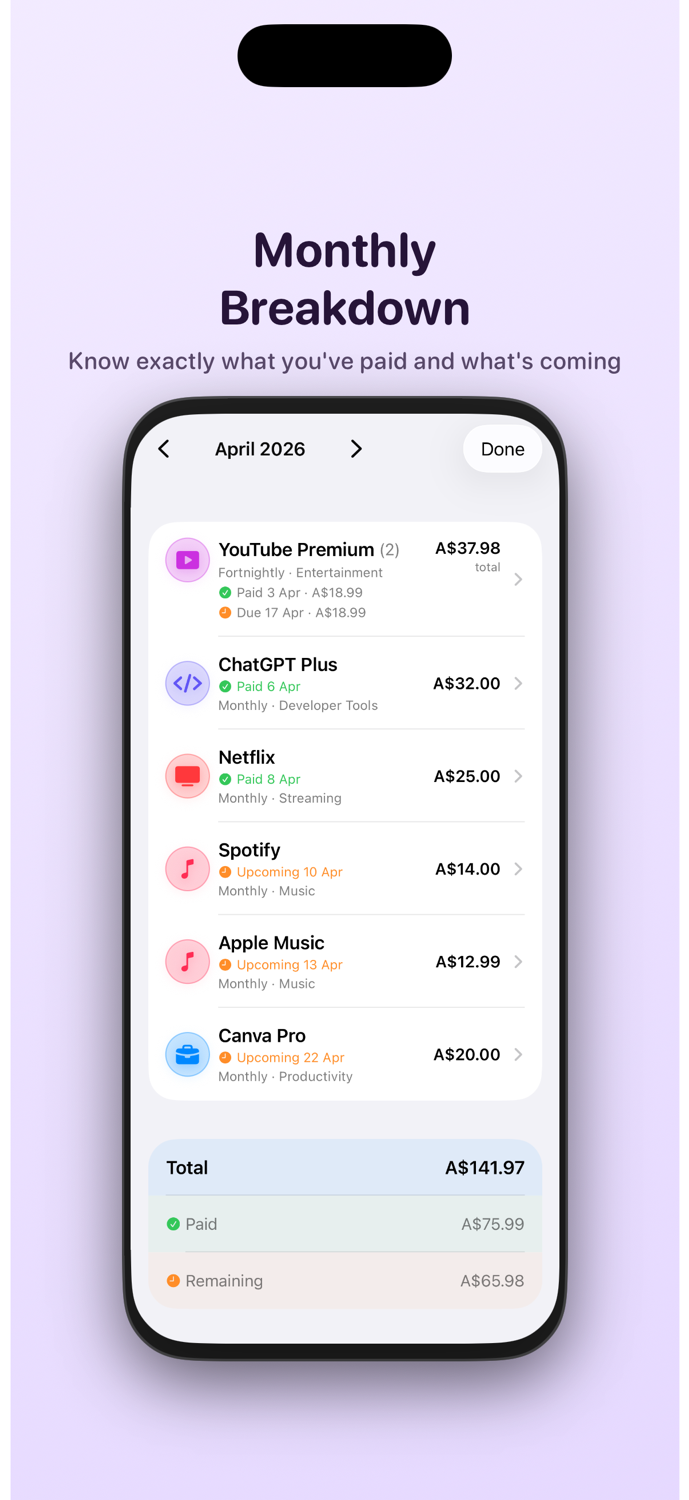
Know the monthly breakdown

Paid Upcoming April total Next due

Check what you have already paid, what is still coming, and how each subscription contributes to the month.

See that YouTube Premium is already paid, Spotify is due in two days, and Canva renews later this month.

TrackSubs monthly breakdown screen

05

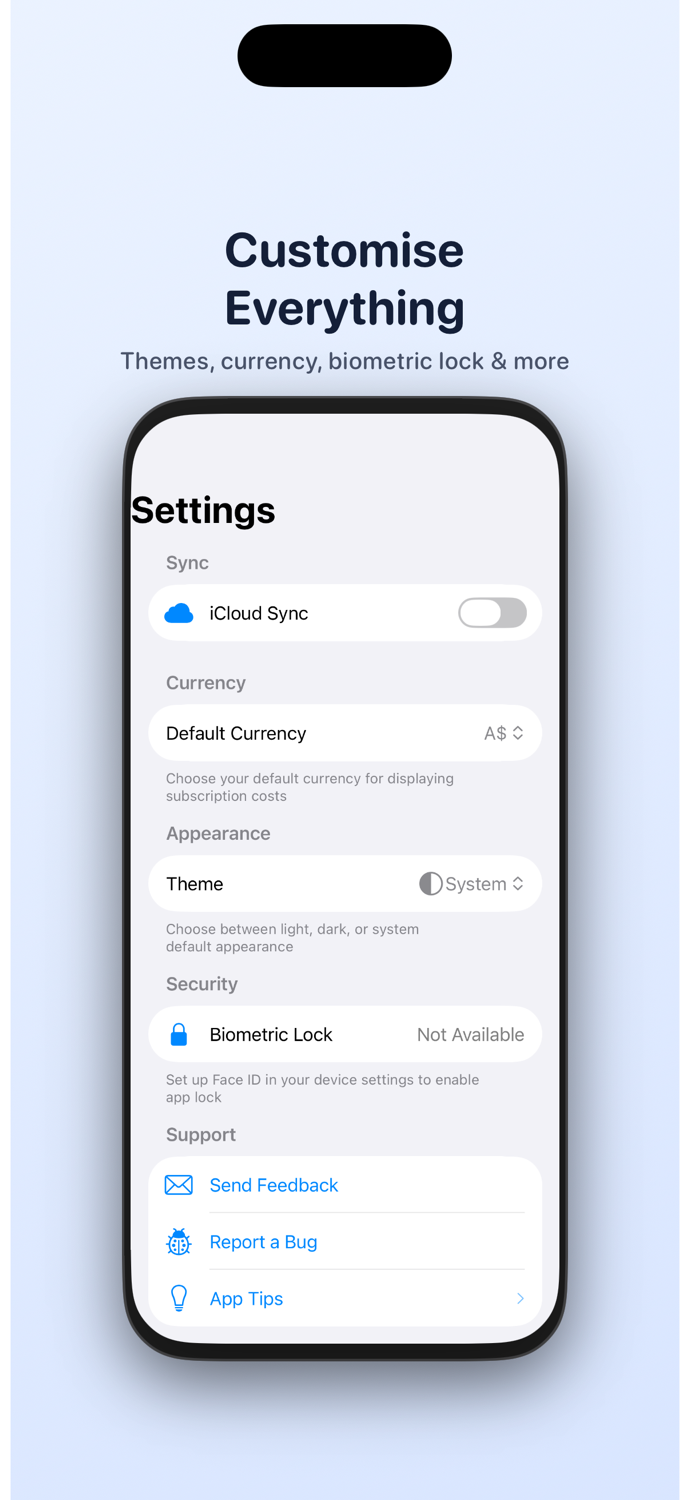
Make it your own

Dark mode Currency Face ID iCloud

Adjust theme, currency, sync, and settings so the app fits naturally into the way you already manage your finances.

Use your own currency, switch to dark mode at night, and keep the app protected with biometric lock.

TrackSubs customization screen

06

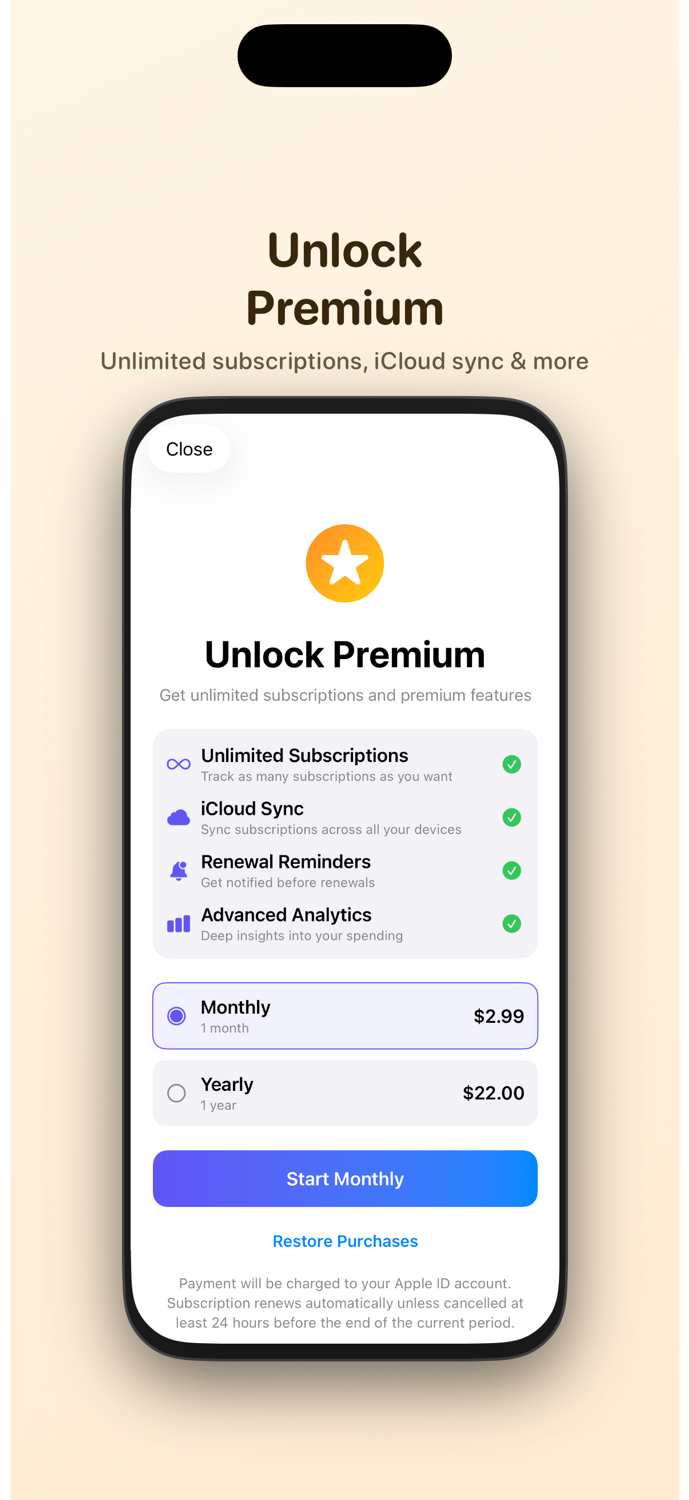
Unlock premium when you need more

Unlimited iCloud sync Reminders Analytics

Upgrade for unlimited subscriptions, iCloud sync, renewal reminders, and deeper insights across your devices.

Track work tools like ChatGPT Plus and Canva alongside personal subscriptions like Netflix and Apple One without hitting limits.

TrackSubs premium upgrade screen

TrackSubs vs the usual way

More useful than reminders, notes, or spreadsheets on their own.

Reminders

Good for one alert

Reminders can tell you a payment date, but they do not show monthly totals, categories, or everything you are already subscribed to.

Notes

Easy to start, hard to maintain

Notes apps quickly become outdated because you have to manually rewrite dates, amounts, and cancellations yourself.

Spreadsheets

Flexible but too manual

Spreadsheets can work, but they take effort to update and rarely feel convenient when you just want to check what renews next on your phone.

Free vs Premium

Start simple and unlock more when you need it.

Free

Great for getting organised

  • Track up to 5 subscriptions
  • Use reminders and monthly breakdowns
  • See dashboard totals and trends
  • Perfect for core personal subscriptions

Download

Get TrackSubs on the App Store.

Scan the QR code or use the official App Store badge below to open the listing and download the app.

Download on the App Store
QR code for TrackSubs App Store page